
Java Custom Events Using EventObject
In NetBeans, you can use the "JavaBeans" framework to create custom events for your Java application. JavaBeans is a framework that allows you to create reusable, modular components that can be easily integrated into other Java applications.
Here is an example of how you can create a custom event in NetBeans using the JavaBeans framework:
- Create a new class for your custom event. This class should extend the
java.util.EventObjectclass and should have a constructor that takes the source object as a parameter.
public class CustomerEvent extends EventObject
{public CustomerEvent(Object source)
{super(source);}}
- Create an interface for the event listener. This interface should have a method that takes your custom event as a parameter.
public interface CustomerListener extends EventListener
{public void customerChanged(CustomerEvent e);}
- Create the event source class that will generate the events. This class should have methods to add and remove event listeners, as well as a method to fire the event.
public class Customer
{private ArrayList<CustomerListener> listeners;public Customer()
{listeners = new ArrayList<>();}public void addCustomerListener(CustomerListener listener)
{
listeners.add(listener);}public void removeCustomerListener(CustomerListener listener) {listeners.remove(listener);}public void fireCustomerChanged()
{CustomerEvent event = new CustomerEvent(this);for (CustomerListener listener : listeners)
{listener.customerChanged(event);}}}
- In your main class, you can create an instance of the event source and register an event listener to it.
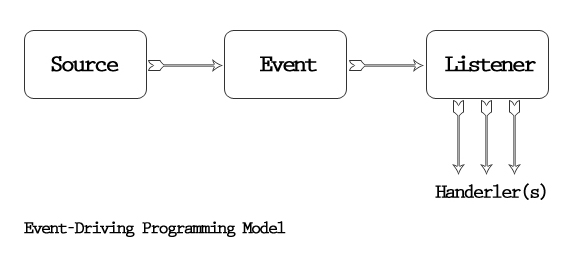
In this example, the CustomerEvent class represents the custom event, the CustomerListener interface defines the method that should be implemented by the event listener, and the Customer class is the event source that generates the events. The Main class creates an instance of the Customer class and registers an event listener to it. When the fireCustomerChanged() method is called, it generates a CustomerEvent and notifies all registered listeners.


No comments:
Post a Comment